Archive for the technology & learning category

December 3rd, 2012

Talking to each other: the challenge of interdisciplinary work

Today I’m giving a lecture about learning environments that promote interdisciplinary dialogue in Internet Science. After 10+ years working in an interdisciplinary space, I take for granted how much easier it has become, I forget the many times I sat through lectures that were like a foreign language where every third word made sense. I also forget how difficult it was to start talking to people in other disciplines, because graduate students already had their cohort, faculty their students, so showing up and not speaking their language meant it took time to be part of their conversations.

During the summer, I convened, along with Cristobal Cobo, Tim Davies, and Ian Brown, a summer school as part of the Network of Excellence in Internet Science. It was a week-long program for early career researchers to engage in interdisciplinary discussions. The topic was privacy, trust, & reputation and each morning, two invited lecturers would discuss these topics from their disciplinary perspectives. We invited faculty from computer science to discuss the technical dimensions of privacy, law professors to explain what is and is not feasible to regulate, and an educational researcher who asks students to draw pictures of who they think connects to them on the Internet. This approach did not seem to ruffle any feathers. However, the afternoon sessions were a more challenging sell.

We blocked out the afternoons for interdisciplinary discussion. I modeled the discussions after seminars offered by UCSB’s CITS PhD emphasis, in which we select a topic, for example “reading,” “trust,” “mobile phones” and graduate students each present research questions and methods their discipline would use to approach the topic. For the summer school, we had to convince colleagues at each stage that it was definitely a good idea to give the participants three hours per day for interdisciplinary discussion. After the first day, we had to convince the participants it was a good idea. By the third day, they were busy talking to each other.

Why interdisciplinary?
There are some questions that cannot be answered by a single discipline. This challenge existed before the Internet (a recent example provided by Radiolab: why isn’t blue mentioned in The Odyssey and The Iliad?), but like information, communication, even love, the Internet magnifies and accelerates it. Disciplinary silos do not serve Internet research well and really, how could they? How can we approach any experience on the Internet without considering the technical backbone behind it? How can technologies be developed without considering user needs and behaviors? How can we understand the Internet from a purely scientific view without considering the art that makes it work, that people continue to find new ways of using it, that these uses continue to surprise and challenge, that technologies tend to serve other purposes than they were initially intended and that why this happens is worth studying.

Much Internet research has spanned disciplinary boundaries and enabled us to better understand
–why and how people organize online and off,
–which groups are excluded from fully participating in the Internet and why,
–the challenges of protecting personal information, why it might matter and why it might not,
–how knowledge is developed and shared, individually and institutionally

I was motivated to continue attending seminars and lectures outside my field because I had a question I couldn’t answer…I wanted a way to measure students’ online research practices, to understand why they selected certain sources and how they used them. Despite how initially uncomfortable it was for an Education student with no programming background to attend courses in Computer Science, or with a limited quantitative research background to attend Cognitive Psychology courses, I was motivated to keep trying.

Why not interdisciplinary?
As part of the summer school, we asked students what barriers prevented them from pursuing interdisciplinary work. Some said they didn’t really have an interest in working with other disciplines, or didn’t know anyone to collaborate with in their area of interest. Others said that funding was more of a challenge when working across disciplines, or they had experienced difficulty in being accepted to conferences or having articles accepted for publication because their interdisciplinary work did not fit. Others said there was no professional incentive to collaborate because the journals and conferences they would submit to were not viewed as prestigious within their departments. The responses were similar to those I heard in informal conversations as a graduate student. These are fair points. Interdisciplinary work is still in its infancy and despite efforts by AoIR and the increasing number of interdisciplinary journals, publications and professional recognition still seem to be exceptional. However, as demonstrated by initiatives in the digital humanities, in the small, but growing number of interdisciplinary departments, institutions can slowly change the paradigm of recognition.

Where to start?
NSF Interactive Digital Multimedia IGERT
During my graduate years at UCSB, several interdisciplinary opportunities were emerging. The National Science  Foundation funded students through their IGERT program to work in interdisciplinary groups to develop projects. IGERT students were drawn from across campus, including computer science, cognitive science, art, and geography. All students were awarded tuition plus a stipend and travel funds and were given a collaborative workspace. The program required that students work in small groups with other IGERT students and attend a Friday seminar on interdisciplinary topics related to their research.

In my experience, while funding was abundant, faculty support never materialized. The Friday lectures always seemed to be on very specialized topics, without an organizing theme. Student projects were generally based on the PIs interest, rather than generated by the students and those not in engineering did not receive as much mentorship. Yet the projects afforded an opportunity to discuss disciplinary approaches and discover complementary questions and methods. Unfortunately, many students encountered difficulties in publishing their interdisciplinary work or being accepted to conferences, so prioritized their disciplinary work.

Cognitive Science PhD emphasis
Based on interest from engineers studying artificial intelligence and geographers trying to get a better sense of how people approach maps, the Department of Psychology started offering a seminar series that combined a few quarterly lectures on interdisciplinary topics with a weekly student seminar. The seminar was particularly targeted toward students and faculty outside of Psychology, so provided relevant background information and an overview of methods at the start of each quarter. Faculty were invited from across campus and usually brought interested graduate students.

The Cognitive Science emphasis allowed graduate students from outside Psychology to take coursework and receive an emphasis on their diploma in Cognitive Science. In addition to the coursework, participants were required to have two members of the interdisciplinary emphasis on their dissertation committee, to complete a research paper or proposal in Cognitive Science, and for cognitive science to be a central focus in their dissertation.

Also on Friday afternoons, the course discussion was lively, often resulting in long disagreements over disciplinary assumptions. Normally, students continued the discussion over drinks or dinner, so the emphasis also succeeded in creating an interdisciplinary community.

Center for Information Technology & Society PhD emphasis
Core faculty from Political Science, Computer Science, Film Studies, Sociology, and English started a lecture series around 1999 that grew into a graduate seminar about four years later. The strength of the seminar was that a core group of faculty was always present, sometimes outnumbering the students, to discuss their discipline’s approach to whatever was the topic of discussion. As mentioned above, early seminars were organized around a theme, for example, mobile phones, and each week two graduate students and sometimes faculty would suggest readings to the group and discuss research questions they would ask around the topic. The faculty modeled respectful dialogue, but pushed each other and the students to challenge their disciplinary assumptions.

The graduate seminar series also evolved into a PhD emphasis, allowing students to receive recognition for coursework completed in the area of Technology & Society. Similar to the Cognitive Science emphasis, the Technology & Society emphasis drew an interdisciplinary faculty steering committee from across campus. In addition to the seminar, coursework included courses in two areas: Culture & History and Society & Behavior. Courses were offered through several departments including Anthropology, Environmental Science and Management, History, Education, and Communication (in addition to the disciplines listed at the beginning of this section). Students were required to have a faculty member from the steering committee be part of their dissertation committee and to complete a dissertation that related to Technology & Society.

The program modeled interdisciplinary dialogue and provided opportunities for students to work on research projects with faculty and students from other departments. In fact a few faculty received grants specifically to foster interdisciplinary collaboration and created strong cohort relations through these research opportunities.

[stay tuned...more to come]

July 11th, 2011

The Human Element of Academic Presentations

How often have you walked out of a room and barely remembered anything from a lecture or presentation? It feels that often presentations focus on information transfer rather than connection. If much of what is communicated in academic presentations could easily be done asynchronously, academics are regularly missing an opportunity to connect with and engage their audience.

In this presentation to our Summer Doctoral Program, I use Mayer’s (2001) multimedia learning theory to promote more meaningful (and memorable) presentations. I encourage our visiting students to consider the human element of the presenter-audience relationship by thinking about audience need and how to best communicate their message.

May 17th, 2010

Innovative teaching

Started as a way to tutor his cousin, Sal Khan has developed an extensive library of online lessons in subjects ranging from Math to Science to History. While most online learning approaches are stuck in either the lecture format or the impersonal slide delivery (or worse, just a list of readings), Sal found a way to personalize the learning experience.

Sal Khan at Gel 2010 from Gel Conference on Vimeo.

His approach is simple, yet effective and inspiring.

April 15th, 2010

Banning laptops doesn’t solve the distraction problem

To ban or not to ban laptops in classrooms? What about cell phones? And calculators? Before we hand students a list of technologies to leave at home, let’s consider the real problem: attention vs. distraction. If you’re going to ban everything distracting students, you should consider what you’re wearing, how you talk, the guy in the front row who hasn’t called the girl in the 7th row, etc.

After teaching for several years, training teachers, and studying learning, I’ve developed a few strategies for maintaining student engagement. Of course, nothing is full-proof and there will typically be someone who falls asleep, looks clueless, glares at you during lecture, leaves after 15 minutes, or stares off into space. Try not to take it personally. After all, intentionally or not, I’ve been that student, haven’t you?

I just posted the following list on Facebook in response to a question on Metafilter and am re-posting it here:

  • Call upon people randomly. On the first day of classes, let students know that at any point in the lecture, you may call upon them. Cut up your roster and, when participation reaches a low point, randomly pull a name out of a hat. Ask them to concisely summarize something you just said, or discuss implications for a different scenario, etc. The point is to let them know that there’s rewards for paying attention…and consequences for not paying attention. I did this pre-laptops in the classroom and it improved discussion. It’s also a non-confrontational way of ensuring participation/attention.
  • Turn to someone next to you. One strategy I find highly effective in teaching is to identify a concept from the readings and say, “For the next 3-5 minutes, I’d like you to turn to someone next to you and discuss what you think the term participative media means. Think of a few examples from the readings/your own experience and be prepared to share them with the larger group.” I usually either walk around to hear people’s conversations, or meet with a student close by who hasn’t found a conversation partner. While everyone is meeting, I pick a particularly chatty group, or volunteer the person I’m speaking with, and ask them if they’d be willing to go first. As people share their ideas, I write them on the whiteboard, or insert their insights into my slide presentation and use our discussion as a springboard for the next part of the lecture.
    Having people speak in smaller groups primes them with ideas for sharing in the larger group and so accomplishes two goals: engages them in the discussion and empowers them to participate.
  • You can have “laptops down” moments, where you ask everyone to close their laptops to help them think and focus.
  • I start the quarter off being honest and saying that it’s really tough to speak to a large crowd and tougher still when you have to compete for their attention (e.g., talking in class, or using tech to tune out), so to make it easier on me and more interesting for them, I’ll be asking questions throughout the lecture and if I see someone not paying attention, I will most likely call on them.
  • Have students present some of the info, where appropriate. Each class period, I have a 5 minute block for student presentations — students definitely seem more interested in information from their peers. If the students get the info wrong, I use it as a teachable moment.

large_audience
Audience from Napoleon Dynamite spoof posted on YouTube

  • I also do fun things, like take pictures of the audience when they look the most bored and include it in the next class period’s powerpoint, just to let them know what my view is like. Then I use the image as a background for some of the slides. People love to see themselves.
  • Or, the best scenario is to incorporate the laptops into instruction. Even in a lecture, you can have scavenger hunts or discovery moments. For every class period, I assign a couple bloggers to report on what they learned. You get a record of the class, students who missed have a useful resource, and students with restless finger syndrome have somewhere to focus their energy. Here’s a link to course blogs from past students: http://www.brenmesm.blogspot.com.

There’s a misconception that in lectures we should be the only ones talking. An ideal learning scenario is one in which we empower students to feel responsible for their learning experience and create an environment in which the technologies, no matter how seductively distracting, can be used as part of their learning.


January 7th, 2010

Hands-on: Using Technology like an Artist

Posted in technology & learning by Monica

Most of the fun tech tools I use were shown to me by designer friends and colleagues. I find this realization interesting, because I’ve spent the past six years working closely with Computer Science students and can only think of one app a fellow student showed me the entire time we worked together. My art friends, on the other hand, always seem to be asking “have you seen this?” or telling me to “try this,” or, as was the case yesterday, installing a collaborative app, dropbox, on my laptop while I was watching a Youtube video on a different computer.

It makes sense, though. Artists use technology as a tool. Well, we hear a lot about using technology as a tool, but artists are seasoned tool users — they’re used to experimenting with variations of the same tool (different paintbrush sizes) or trying different tools to achieve a certain effect. They’re purpose-driven users who, in their tech use, generally start with a vision and then find a tool to fit, rather than the other way around. Or, they think of ways to use the tool differently, perhaps against its intended purpose.

Speaking of vision, artists are also comfortable with seeing something no one else sees and spending time pushing that kernel into reality. Often, this push involves time to learn how to present the vision with a new medium, mix colors, textures, text & images…in essence, try new approaches until it all comes together exactly right.

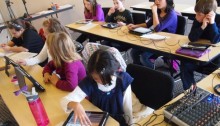
NURTURING SCHOOL
AP Photo/Arizona Daily Star, Greg Bryan

Thus, artists are undoubtedly hands-on technology users. They’re not afraid of breaking anything, making mistakes, or getting their hands dirty, because technology is a tool that like any other tool must be experimented with to understand its possibilities. I don’t know about the rest of you, but I find Photoshop daunting. InDesign is similarly intimidating. Undoubtedly, these programs have a steep learning curve, requiring hours and patience for proficiency. Yet, I’m always amazed with how fluidly my artist friends use them. Come to think of it, many of my artists friends probably logged as much time in front of video games as my programming friends when we were kids.

For education, I’d like us to take an artist’s approach to teaching with and about technology. Let’s get our hands dirty, experiment without fear of breaking anything. Let’s have a vision first and find the tool to fit. Think of the beautiful result!

[Special thanks to the designers in my life who inspired this post: Tosh, Colleen, Russ, Safa, Nancy, Aaron, Rama, Loretta, Miljena, and Michael]